Inspired by Don Wettrick's book Pure Genius and my J-Term Innovation Class, I sent a new course proposal to my principal that I wasn't sure would actually fly. It's not that my principal is afraid to try new things, it's just that I pitch new ideas to her frequently. It is my job. I really didn't think this one would get past the proposal stage.
So, you might say I was a bit surprised when I got an email last week asking for course descriptions for middle and high school technology courses. And, yes, I was given permission to go outside the box this time around.
After writing my dream scenarios, we had to bring it back down to earth a bit. She wanted to see some more structure, and I had to write up syllabi to go with the courses. What we ended up with might not be Genius Hour in its purest form, but I'm happy with the results for the first year.
This is going to put me completely out of my comfort zone. For one, I am an elementary teacher with some middle school experience. I am not a high school teacher, but I'll be guiding high school students through some rigorous learning experiences. I also realize that I'll be asked to do a lot of personal interactions with students (I'm so much better with digital interaction) and will have to have passable knowledge on many topics. So, you might say that I'm on my own Genius Hour experience.
Overall, I'm thrilled to have this chance to bring innovation to our school and give students the chance to show off what they can do.
Right now, I have the bare skeleton of what the courses will look like, but I will post more as I develop them down the road.
Feel free to borrow from the following documents and ask me if you have questions.
Proposal
Class Descriptions
Middle School Innovation Class Schedule
Middle School Innovation Class Syllabus
High School Innovation Class Syllabus
Showing posts with label middle school computer. Show all posts
Showing posts with label middle school computer. Show all posts
Thursday, March 5, 2015

Tuesday, February 3, 2015
Innovation Museum
In preparation for next week's round table discussion about Genius Hour, I have curated some of our best Innovation Projects into this museum. Wander through the links and leave comments for the students.
 | |
The Time Warp
(A Stop Animation Video
|
RAGE
(An Original Video Game)
|
 | |
|
(A Knife Flipping Site)
|
Java Innovation Project
(Daniel teaches himself Java)
|
“With You”
(A Song Written and Performed by a Student)
|
Maxx and the Robot
(Maxx shows off his Lego robot)
|
 |  |
American Sign Language
(A Site About ASL)
|
Connor’s Wall Art
(A Graffiti Web Site)
|
 |  |
Ride the Roller Coaster
(A Collaborative Amusement Park Using Tekkit)
|
Maxx and the Saw/Gun
(Maxx takes his Lego skills in a different direction)
|
Friday, January 9, 2015
Final Innovation Projects - January 2015
After a solid week of working two and a half hours a day (plus self-assigned homework) today was the big day. Presentation Day!
Enjoy their projects below...
Remote Control Car by Lucas
Greek/Roman Mythology by Kate
Destiny Classes Video by Cooper, Jacob, and Russell
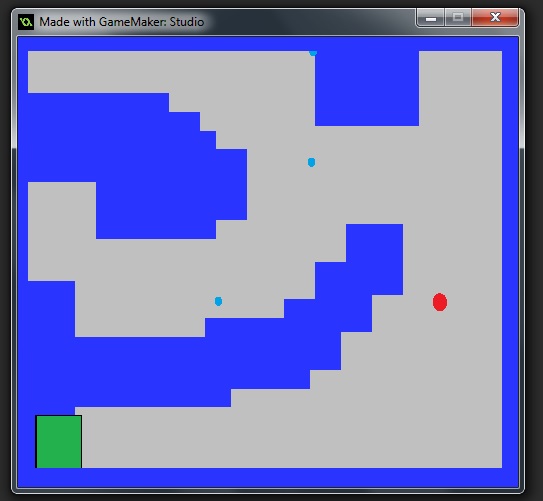
RAGE by Nathan
Motored Car Video by Will
Each student was given 3-5 minutes to talk about and show off their project. (The exception would be the group of three. They were given permission to go for 10 minutes.) Overall, I was impressed by what they could accomplish in a short amount of time.
Of course, I have reflections on the whole process.
Enjoy their projects below...
Remote Control Car by Lucas
Greek/Roman Mythology by Kate
Destiny Classes Video by Cooper, Jacob, and Russell
RAGE by Nathan
Motored Car Video by Will
Each student was given 3-5 minutes to talk about and show off their project. (The exception would be the group of three. They were given permission to go for 10 minutes.) Overall, I was impressed by what they could accomplish in a short amount of time.
Of course, I have reflections on the whole process.
- I really wanted to focus on the inquiry model discussed in A More Beautiful Question. When I read about The 5 Whys and the Why-What If-How progression I knew I had a winning way to get students thinking on a different level. I'm still convinced of that. However, I think the way I went about it didn't spark a lot of higher level thinking or new innovations. I think I just created a need hoop for them to jump through on the way to the project. I need to reconsider how to make that work in the future.
- I used OneNote Class Notebook to run this class. It was a gem. Everything was in one place. All I had to do was open the notebook, and everything I wanted and needed was there. I didn't have to hunt for emails or remember where the notes were. Everything was in one notebook. I will definitely use it again.
- However, I will say that the notebook was easy to manage because I only had 7 students. I think it could feel more cumbersome if I had 20 or more students.
- I need to be more proactive checking on student work. For instance, take the Destiny video made by the three guys. I originally declined the project because Destiny is a first person shooter game. They assured me it would be just characters and no weapons, so I approved it. Apparently, we didn't communicate properly. Their presentation included grenades and other weaponry. If I was spending more time looking over shoulders I would have seen that before the presentation.
Overall, it was a great week. There was a lot of learning that happened, and I loved their enthusiasm. Bring on the next project!
Monday, January 5, 2015
J-Term, Genius Hour, and OneNote
Welcome back to school! My school traditionally kicks off the new semester with a week of J-Term for our middle and high school students, and I've been given the chance to teach one of these classes. Since my middle school tech class was cancelled this year, this is a great opportunity to dive back into my beloved Innovation Projects.
I'm sitting in a room with seven middle schoolers as they ponder their projects for the week. More on their projects in a bit. While I'm excited to see what they can create this week, I'm also excited to use a new toy -- OneNote Class Notebooks. I blogged about this tool before Christmas, and we were able to get it set up in time for this J-Term class. Here is how things are set up...
- There is content library which all students can see but not edit. Here is where I created my "handouts" full of instructions and examples. The whole course is laid out there for them -- proposals, daily updates, presentation, and rubric.
- Each student has his/her own section that only the two of us can view and/or edit. There are tabs within those sections for proposal, homework, and work space.
This project will be a bit different than the ones I've hosted in the past. Those projects have been spread out over a marking period - one class a week. This project will be compressed into one week of 5 two and a half hour long sessions. The amount of time on task will be much greater (roughly 300 minutes more) but the amount of time between sessions will be much smaller. That will result in less time thinking instead of doing and less out of class time working on the project. It will be interesting to see what happens.
This fall I read A More Beautiful Question by Warren Berger, and I'm trying to incorporate his research into this project. This book wasn't necessarily written to the Genius Hour community, but it's all about inquiry as a teaching and business model -- something us Genius Hour teachers get all nerdy about.
I required students to use the 5 Whys for their proposals. See my example to them below.
I am also requiring them to use the Why-What If-How? format for their daily updates. See my example below.My 5 Why Conversation:
Why would someone donate to my yard sale? What if I interviewed an adoptive family for my web site? How would I do that? It looks like I just created homework for myself. Or... I could send an email to that family in my church that adopted that boy from Ethiopia. I probably should use my best grammar and ask nicely.And now, on to their projects...
- Kate is creating a website about Greek Mythology.
- Nathan is creating his own old-school video game.
- Will is making a motored Lego car.
- Lucas is creating a robot to grab his Kindle when he doesn't want to get off the couch.
- Cooper, Jacob, and Russell are working on making a video about their favorite game, Destiny.
Stay tuned for updates. This thing will be over quick.
Friday, May 30, 2014
Final Innovation Project
Yesterday was my last Tools for Tech class with my middle schoolers. Since this class won't be happening next year, it may be my last Innovation Project for a while. I was really proud of these projects. The kids put in a lot of hard work and turned in some awesome final products. Please check them out and let me know what you think.
Connor showed us how to earn staffs in Black Ops 2.
Jacob and Cooper created their own MineCraft world and player versus player game. Watch their split screen video as they play against each other!
Daniel, Matthew, and Waite created a video story in which you decide the course of the story.
Kate continued her Revolutionary War Blog from last quarter.
Justin figured out how to fix his Empire State Building on MineCraft, but he didn't share his presentation with the world. Bummer!
Dominic created a web site about Dominque Wilkins.
Drew and Sam created a castle in MineCraft that has a disco room! Sadly, they didn't make their presentation available to share.
Connor showed us how to earn staffs in Black Ops 2.
Jacob and Cooper created their own MineCraft world and player versus player game. Watch their split screen video as they play against each other!
Daniel, Matthew, and Waite created a video story in which you decide the course of the story.
Kate continued her Revolutionary War Blog from last quarter.
Justin figured out how to fix his Empire State Building on MineCraft, but he didn't share his presentation with the world. Bummer!
Dominic created a web site about Dominque Wilkins.
Drew and Sam created a castle in MineCraft that has a disco room! Sadly, they didn't make their presentation available to share.
Tourism Projects: What is there to do out there?
Here's a fun way to end the semester with my middle school students. I give them a list of the top ten most populated cities in the world and let them pick one.
Their task is to pretend they are travel agents, trying to show us all the great things they can do in that city. With only about a week to put something together, it's a frantic pace to find the best of the city -- hotels, restaurants, stuff for kids, and such -- and put together a presentation for us. Not only do they need to create something technological, but there is a non-techie requirement too. (That mostly took on the form of food, which is always a great idea when I'm in the mix.)
Here are three of the projects that rolled in for us. I love how these web sites look -- almost like someone took a visual design class when I wasn't looking.
Delhi, India
Mumbai, India
Shanghai, China
Their task is to pretend they are travel agents, trying to show us all the great things they can do in that city. With only about a week to put something together, it's a frantic pace to find the best of the city -- hotels, restaurants, stuff for kids, and such -- and put together a presentation for us. Not only do they need to create something technological, but there is a non-techie requirement too. (That mostly took on the form of food, which is always a great idea when I'm in the mix.)
Here are three of the projects that rolled in for us. I love how these web sites look -- almost like someone took a visual design class when I wasn't looking.
Delhi, India
Mumbai, India
Shanghai, China
Thursday, May 29, 2014
Thursday, May 8, 2014
Stop Animation Videos
I love the Animation Chefs and how they try to teach animating skills to kids, so I thought I would bring them to my middle school students. I gave my kids time to watch their videos, learn some tips and tricks, and apply them to their own video creations. It took nearly two weeks worth of classes, but today they showed off their final projects. (And I might add that I'm kinda proud of how they look in the end.)
Sam and Dom:
Three Little Pigs from Craig Dunlap on Vimeo.
Jacob, Drew, and Kate:
Waite and Cooper:
Justin and Matthew:
Daniel and Connor:
Just in case you're wondering about the process we used in class, the instructions are here.
Which is your favorite?
Sam and Dom:
Three Little Pigs from Craig Dunlap on Vimeo.
Jacob, Drew, and Kate:
Waite and Cooper:
Justin and Matthew:
Daniel and Connor:
Just in case you're wondering about the process we used in class, the instructions are here.
Which is your favorite?
Wednesday, April 23, 2014
Guest Speaker: Jessica Ross
As a middle school technology teacher, I'm starting to see that my students need to see how technology will drive their career choices. Certainly, not every student I have will be an engineer for Google, but a fair amount of them will use technological devices every day for the rest of their lives. I want them to realize that using technology is more than playing games or doing homework. The real awesomeness of tech use is being the person who creates things.
So, I invited Jessica Ross to talk to my students about video production. As you probably know from Jessica's 20 Year Profile, she is the head of media at Kona Ice, working to create all their videos.
Jessica did a great job connecting to my class of 10 boys and 1 girl while showing them the progression of her video production. One of her main points is that technology is always changing. She demonstrated that by showing how her videos have improved over the years because of the cameras and other tools she has at her disposal. In only six years after graduating from college, she has upgraded cameras three times to keep up with the changing technology.
I found it interesting that Jessica started video production while in high school. She had tons of practice in her field before she ever went to learn it at college. This continues as a resounding theme of people in the world of technology. They didn't wait to learn it in college or on the job. The seed was planted years earlier.
Jessica pointed out to the students they have a leg up on the world of technology because they have grown up with it. Since they live in a world inundated with technology, they are able to do so much. The key is to leverage that power to become an awesome creator, not consumer, of technology.
Here is my Twitter blow up of the presentation.
My students wrote up a summary of the presentation, and I thought I would quote some of my favorite lines.
So, I invited Jessica Ross to talk to my students about video production. As you probably know from Jessica's 20 Year Profile, she is the head of media at Kona Ice, working to create all their videos.
Jessica did a great job connecting to my class of 10 boys and 1 girl while showing them the progression of her video production. One of her main points is that technology is always changing. She demonstrated that by showing how her videos have improved over the years because of the cameras and other tools she has at her disposal. In only six years after graduating from college, she has upgraded cameras three times to keep up with the changing technology.
I found it interesting that Jessica started video production while in high school. She had tons of practice in her field before she ever went to learn it at college. This continues as a resounding theme of people in the world of technology. They didn't wait to learn it in college or on the job. The seed was planted years earlier.
Jessica pointed out to the students they have a leg up on the world of technology because they have grown up with it. Since they live in a world inundated with technology, they are able to do so much. The key is to leverage that power to become an awesome creator, not consumer, of technology.
Here is my Twitter blow up of the presentation.
- Retweeted by Craig DunlapI had an absolute blast talking to @Cncdky's technology class today about my job and why technology is important. Hooray technology!
- How do we market to millennials? No commercials. 90% of time online is thru app not web browser. @jessicalyneross
- You have a leg up because you are growing up with technology. @jessicalyneross
- Now @janedeckersmith is showing on our big screen in class. @jessicalyneross is bringing them all to the room. #formerstudent #20year
- "You guys have some really fast internet here." @jessicalyneross #tongueincheek
- @KONAICE has given back over $13 million to communities. @jessicalyneross
- "I started creating dumb little videos while in high school." @jessicalyneross
- "I realized that people create TV shows for a living and get paid for it. I wanted to do that too." @jessicalyneross
- @jessicalyneross and uber awesome videos pic.twitter.com/vdRBRjCUY1
- @jessicalyneross Showing off her videos to show progression of her cameras and software. Great stuff!
- "One constant in technology is that it is always changing." @jessicalyneross
- Guest speaker in T4T today: @jessicalyneross
 Jessica Ross
  Craig Dunlap
My students wrote up a summary of the presentation, and I thought I would quote some of my favorite lines.
- She started editing in high school. She edited small random videos at first but she started liking it.
- She also makes (or at least made) storyboards and scripts.
- I cannot say I have had Kona Ice but I am definitely looking forward to. They raised 13 million dollars and then gave them away to people in need.
- She first started just making fun videos and started getting better tech and made even better videos so she started to work at Kona Ice and worked on the videos and video editing.
- What surprised me is that she didn’t start filming and editing sooner than high school.
- One thing that surprised me was how good cameras are today.
- I was surprised that she could make a job by creating videos of her friends and could get paid for doing it.
- I learned that it is very fun to have a videoing job. You can make a lot of different videos with the job she has. If I were to be offered the job she has… I would definitely take it.
I truly am enjoying this guest speaker series and hope to add one more to the roster before the end of the school year.
Subscribe to:
Posts (Atom)